


Integration Between Accounting Systems and Human Resources Management Systems

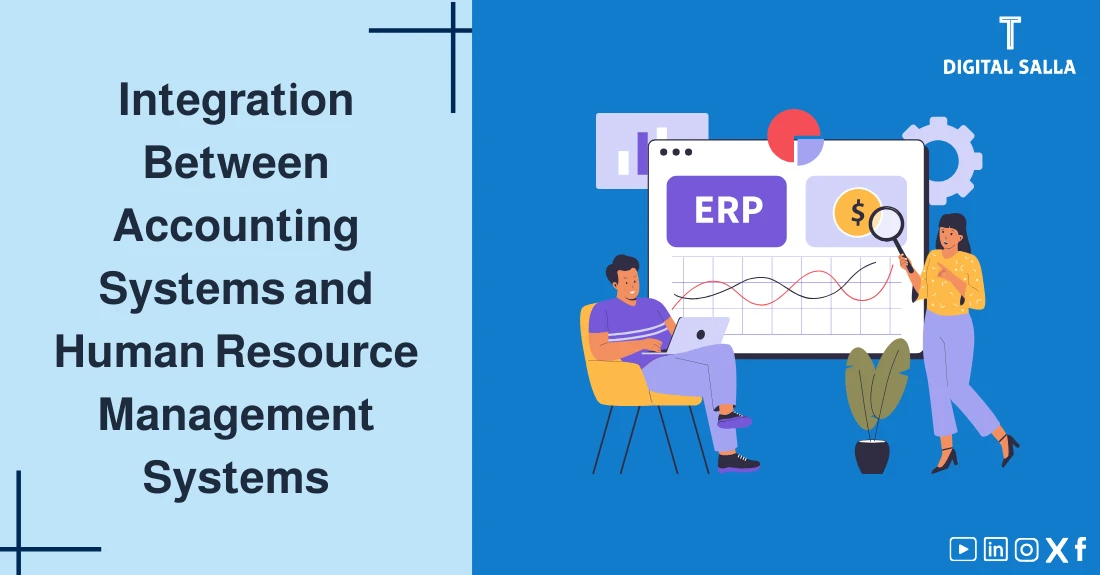
Integration Between Accounting and HR Systems
When HR works on a standalone system, payroll on an Excel file, and accounting on another software—the same problem appears every month: manual entries, variances, and delayed closing. The solution isn’t just “buying new software,” but building a clear integration between employee data, payroll, and accounting entries so data moves once with standardized definitions. In this guide, you will understand the integration map step-by-step, and how to link Payroll Accounting to cost centers structure, entries, and approvals, with governance controls reducing risks.
- A clear map of what must be integrated: Master Data (Employees/Org) + Payroll + Entries.
- Practical table mapping payroll elements (Earnings/Deductions) with Accounts and Cost Centers.
- Governance controls preventing errors: Permissions, Approvals, and Audit Trail.
- Readiness assessment checklist + a concise 14-day implementation plan.
1) Why Integrate Accounting and HR?
Integration between Human Resources (HR/HCM) and Accounting/Financial (ERP/Accounting) systems isn’t a “technical luxury.” It is an accounting and managerial decision because it determines payroll data quality, closing speed, and reporting accuracy by cost centers, departments, and projects.
- Reduce Manual Entry: Auto-transfer entries instead of re-keying payroll.
- Minimize Month-End Variances: Because the same data source feeds everyone.
- Employee/Department Cost Analysis: Accurate allocation of salaries, allowances, and subscriptions to correct centers.
- Stronger Governance: Clear permissions, approvals, and audit trail supporting Internal Audit.
2) What Exactly Should Integrate? (Data Scope)
Successful integration starts by defining the Data Scope moving between systems, then defining the “Data Owner” and change policy. Practically, you have 3 layers:
| Layer | Examples | Why Important for Accounting? |
|---|---|---|
| Master Data | Employee Data, Org Structure, Job Title, Cost Center, Project | Without it, you can’t accurately allocate salaries or build management reports. |
| Transactional | Attendance, Overtime, Advances, Allowances, Deductions | These create the payroll run and its monthly variations. |
| Accounting Output | Accrual/Payment Entries, Run Attachments, Reconciliation Reports | Feeds the General Ledger, speeds up closing, and supports compliance. |
- To understand the full payroll cycle: Monthly Payroll Cycle.
- To fix entry and account definitions: Payroll Accounting System.
3) Common Integration Models: API / Middleware / ERP
The integration method determines automation level and risks. Usually, you fall into one of these models:
| Model | Description | When Suitable? | Risks/Notes |
|---|---|---|---|
| Integrated ERP (Module within same system) | HR/Payroll and Finance inside one ERP | When unifying data and reducing failure points is desired | Implementation requires process engineering and strong permission control |
| Best-of-breed + API | Independent HR System + Independent Accounting/ERP via API | When having a strong HR system you want to keep | Requires designing Mapping and managing data copies carefully |
| Middleware (iPaaS) | Intermediate layer connecting systems (Transform/Validate/Schedule) | With multiple systems or complex scenarios needed | Adds an operational layer that must be governed and monitored |
| Staged Files (CSV/Excel) | Export from HR then Import to Accounting | Temporary solution or quick start | High risk if Excel Governance isn’t applied |
4) Data Map: From HR & Payroll to Accounts
The core of integration isn’t “transferring the payroll file,” but transforming payroll data into accounting dimensions: GL Accounts + Cost Centers + Projects + Locations/Branches… (Dimensions).
Recurring Expenses Accrual + JEs - Excel File
Recurring Expenses Accrual: Recognizes rent, utilities, and subscriptions monthly via accruals with ...
4.1 Golden Principle: No Data Moves Before Standardizing Definitions
- Unified Employee ID that doesn’t change.
- Unified coding for Cost Center / Project.
- Fixed catalog for payroll elements (Earnings/Deductions) with accounting definition for each.
| Item from HR/Payroll | Meaning | Accounting Translation |
|---|---|---|
| Basic Salary | Basic Salary | Debit: Salary Expense (by Cost Center) — Credit: Accrued Salaries |
| Overtime | Overtime | Debit: Overtime Expense — Credit: Accrued Salaries |
| Allowance (Transport/Housing) | Allowances | Debit: Allowance Expense — Credit: Accrued Salaries |
| Employee Loan / Advance | Employee Loan | Debit: Employee Receivables — Credit: Cash/Bank (at payout) + Settlement at deduction |
| Tax / Social Contribution | Taxes/Contributions | Credit: Liabilities (Tax Payable / Contribution Payable) with due dates |
| EOSB Provision | End of Service Provision | Debit: Provision Expense — Credit: EOSB Provision (Check EOSB Calculation) |
5) From Payroll Run to Accounting Entries (Entry Models)
After fixing the Mapping, the goal is for the system to produce a balanced monthly accounting entry (or weekly per policy) with run attachments. To understand the run cycle in detail see: Payroll Cycle.
5.1 Salary Accrual Entry
| Item | Debit | Credit |
|---|---|---|
| Salaries + Allowances Expense (by Cost Center) | ✔ | — |
| Employer Contributions Expense (if any) | ✔ | — |
| Accrued Salaries (Net Pay) | — | ✔ |
| Tax/Contribution Payables | — | ✔ |
5.2 Salary Payment Entry
- Debit: Accrued Salaries
- Credit: Bank/Cash
6) Governance & Controls: Permissions + Approvals + Audit
Integration succeeds when you set clear governance: Who changes? Who approves? Who reviews? Without this, errors transfer faster… just because you “automated” the transfer.
6.1 Segregation of Duties
- HR: Responsible for Employee Data and Org Structure (Master Data) within specific permissions.
- Payroll: Responsible for preparing and running the payroll, with clear change log.
- Finance: Responsible for defining accounts, Mapping, and approving entries.
- IT: Responsible for access, integration, APIs, and Logging.
6.2 Non-Negotiable Control Points
- Payroll Run Approval before generating entry (Workflow Approval).
- Validation Rules: Prevent non-existent cost centers, prevent payroll elements without accounts.
- Audit Trail: Who modified? What? When? Why?
- Mandatory Attachments: Run report + Changes summary + Exceptions.
7) Post-Closing Reconciliations: Ensuring “Balance”
Even with the best integration, you need reconciliation to confirm HR/Payroll Salaries = GL Salaries. Practical details here: Payroll Reconciliation.
- Match Gross Salaries between run report and entry summary.
- Match Net Salaries with bank transfer file.
- Match Liabilities (Tax/Contributions) with payment schedules and due dates.
- Analyze Retro/Adjustments variances and document them.
- Review Cost Allocation especially for shared employees.
8) Common Pitfalls Failing Integration & How to Avoid
- Changing employee Cost Center mid-month without Proration policy → Wrong allocation.
- “Open” Payroll Elements (Custom Allowance) without specific accounts → Inconsistent entries.
- Retro Adjustments posted to current month instead of original month → Distorts analysis.
- Permanent reliance on Excel without controls → Copy/paste errors and version issues.
- Non-unified definitions (Employee ID/Cost Center) between systems → Duplication/Mismatch.
9) Integration Readiness Assessment Tool (Checklist)
Use this list as a quick assessment before starting. The more items completed, the fewer integration surprises.
10) Frequently Asked Questions
Is it better to have HR and Finance in one ERP?
Not always. Single ERP reduces integration points, but success depends on implementation quality and governance. If you have a strong stable HR System, API/Middleware integration might be better provided Mapping and Controls are set.
How to ensure payroll entry balances every month?
Make the system output “Entry Summary” from the same run report, with validation rules preventing undefined elements, and apply monthly reconciliation Gross/Net/Payables (See Payroll Reconciliation).
How to handle Retro Adjustments?
Set a policy: Charge to current month with disclosure? Or return to period via adjusting entries? Consistency is key + separate report explaining Retro impact on expenses.
Does integration eliminate the need for review?
No. Integration reduces manual entry errors but might speed up error propagation. Therefore, you need controls, Exceptions review, and approval signatures.
How to protect employee data during integration?
Apply Least Privilege permissions, encrypt transfer channels, access logs, and Segregation of Duties. Allow transferring “Minimum Data” needed for accounting only.
11) Summary and 14-Day Action Plan
Successful Accounting and HR System Integration isn’t just an IT project; it is a Definitions + Mapping + Governance project. When definitions align and controls are set, payroll runs transition to accurate entries fast, and Finance team time shifts from “fixing variances” to “decision analysis.”
- Day 1–2: Unify Employee ID + Cost Centers + Dept Structure.
- Day 3–4: Approve Payroll Element Catalog and accounting description.
- Day 5–6: Design Mapping (Account + Center + Dimensions) + Validation Rules.
- Day 7–8: Setup Approval Workflow + Permissions + Audit Trail.
- Day 9–10: Pilot Run on one department + Match results.
- Day 11–12: Parallel Run for current month and compare entries.
- Day 13: Tune Exceptions and document Policies (Retro/Leaves/Loans).
- Day 14: Official Go-Live + Dashboard: Closing Time, Exception Rate, Recon Variances.